About Grammar & punctuation checker
A mobile app for checking spelling and punctuation is a program that helps users verify the spelling of words and sentences in different languages. It can be used for educational purposes as well as for everyday use,...
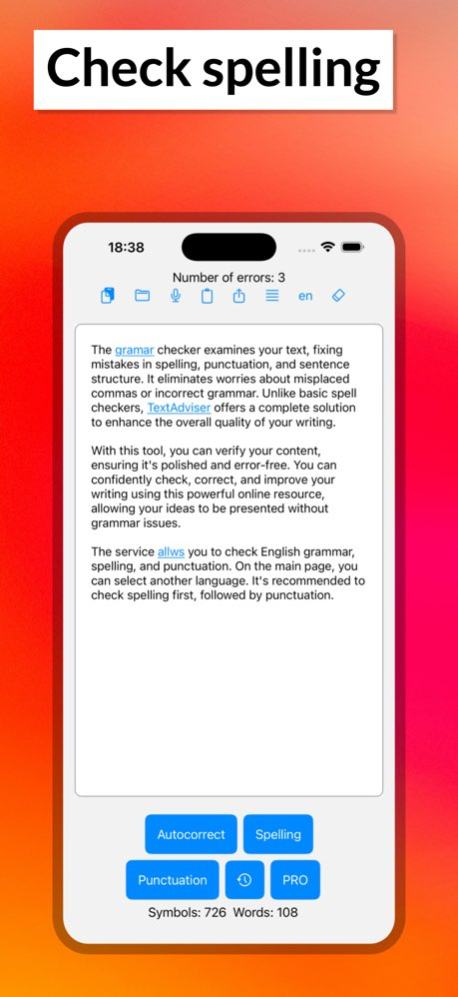
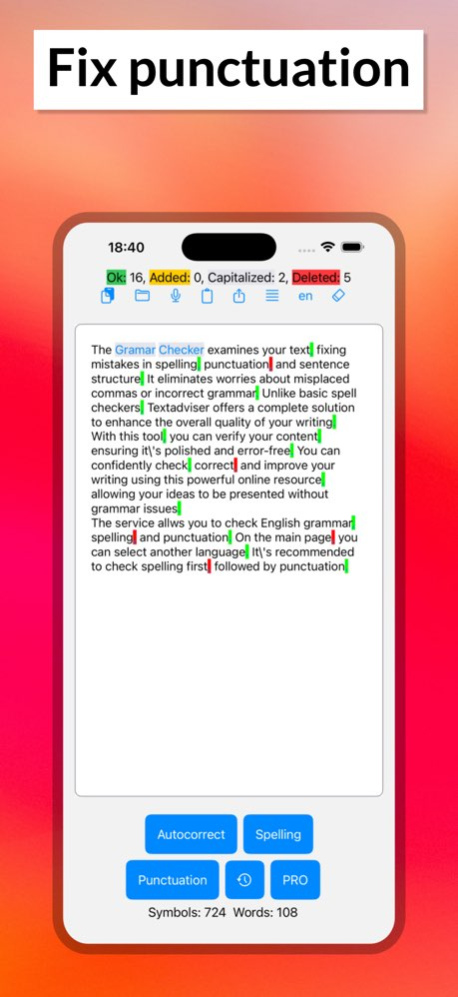
A mobile app for checking spelling and punctuation is a program that helps users verify the spelling of words and sentences in different languages. It can be used for educational purposes as well as for everyday use, since incorrect spelling can negatively affect communication on social media, in text messages, and in emails. This app is a convenient and easy-to-use tool that allows users to quickly and easily check text for errors. It has a range of useful features that make it a very practical and functional tool. One of the main features of the app is spell checking. The user can input text into the app or copy it from another source, such as an email or a social media post. The app will then automatically check the text for spelling errors. Mistakes will be highlighted with color or underlining, and the user can click on a word to see possible corrections. In addition to spell checking, the app also checks punctuation. It automatically identifies punctuation errors and helps correct them. For example, if a sentence is written without commas or periods, the app will suggest where they should be placed. This can be very helpful for people who are not confident in their grammar skills. The spelling and punctuation check is available in several languages, which can be selected in the app's settings. If the app doesn't find any errors, make sure that the language selected in the settings matches the language of the text. By default, the language used is the one set in the phone's settings. There is a text limit for each check: 1,000 characters for the regular version and 100,000 for the Pro version. The spelling and punctuation check occurs in two stages: first, check the spelling by pressing the first button on the control panel, and then check the punctuation. After completing the spell check, words with errors are highlighted in color. Click on these words to open a menu with correction options. If you want to edit the text after the spell check, click the "clear formatting" button to remove the word highlights. Currently, the punctuation check detects about 70% of errors, so you may need to correct some mistakes manually. Additionally, keep in mind that the suggested punctuation placement may not match your intended meaning, as punctuation can influence the text's interpretation. Red indicates marks that the app suggests removing, while yellow indicates marks that the app has automatically inserted. Terms of Use (EULA) - https://www.apple.com/legal/internet-services/itunes/dev/stdeula/
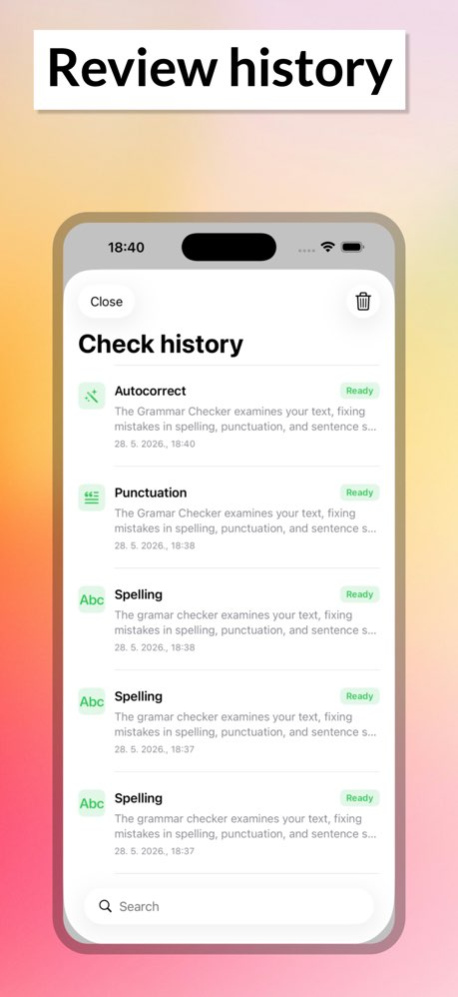
Version History Added check history, paste from clipboard, text file opening, and voice input. 4.3 May 28 The text size in the autocorrector in the Pro version has been increased to 32,000 characters. 4.2 09/24/2025 AI autocorrect feature added to fix all text errors. 4.1 07/29/2025 Minor fixes 4.0 09/24/2024 Fix text color in dark theme 3.9 09/15/2024 Increase text font size 3.8 09/12/2024 minor additions 3.7 09/10/2024 minor additions 3.6 09/05/2024 Interface changes, the ability to check large texts in the Pro version. 3.2 09/04/2024 Minor bug fixes 2.0 05/07/2023 Minor fixes 1.9 02/09/2023 Added Portuguese and Italian for checking punctuation. 1.8 02/02/2023 Added the ability to check punctuation in German, French and Spanish. 1.7 11/28/2022 Checking the punctuation of English texts 1.6 10/28/2022 Minor bug fixes 1.4 09/12/2022 1.0 04/03/2022
Previous Versions
Here you can find the changelog of Grammar & punctuation checker since it was posted on our website on 2023-06-20 20:44:07.
The latest version is 4.3 and it was updated on 2026-10-06 13:42:02. See below the changes in each version.
Grammar & punctuation checker version 4.3
Updated At: 2026-10-06
Changes: Version History Added check history, paste from clipboard, text file opening, and voice input. 4.3 May 28 The text size in the autocorrector in the Pro version has been increased to 32,000 characters. 4.2 09/24/2025 AI autocorrect feature added to fix all text errors. 4.1 07/29/2025 Minor fixes 4.0 09/24/2024 Fix text color in dark theme 3.9 09/15/2024 Increase text font size 3.8 09/12/2024 minor additions 3.7 09/10/2024 minor additions 3.6 09/05/2024 Interface changes, the ability to check large texts in the Pro version. 3.2 09/04/2024 Minor bug fixes 2.0 05/07/2023 Minor fixes 1.9 02/09/2023 Added Portuguese and Italian for checking punctuation. 1.8 02/02/2023 Added the ability to check punctuation in German, French and Spanish. 1.7 11/28/2022 Checking the punctuation of English texts 1.6 10/28/2022 Minor bug fixes 1.4 09/12/2022 1.0 04/03/2022
Grammar & punctuation checker version 4.3
Updated At: 2026-06-03
Changes: Version History Added check history, paste from clipboard, text file opening, and voice input. 4.3 5d ago The text size in the autocorrector in the Pro version has been increased to 32,000 characters. 4.2 09/24/2025 AI autocorrect feature added to fix all text errors. 4.1 07/29/2025 Minor fixes 4.0 09/24/2024 Fix text color in dark theme 3.9 09/15/2024 Increase text font size 3.8 09/12/2024 minor additions 3.7 09/10/2024 minor additions 3.6 09/05/2024 Interface changes, the ability to check large texts in the Pro version. 3.2 09/04/2024 Minor bug fixes 2.0 05/07/2023 Minor fixes 1.9 02/09/2023 Added Portuguese and Italian for checking punctuation. 1.8 02/02/2023 Added the ability to check punctuation in German, French and Spanish. 1.7 11/28/2022 Checking the punctuation of English texts 1.6 10/28/2022 Minor bug fixes 1.4 09/12/2022 1.0 04/03/2022
Grammar & punctuation checker version 4.2
Updated At: 2025-09-24
Changes: Sep 24, 2025
Version 4.2
The text size in the autocorrector in the Pro version has been increased to 32,000 characters.
Grammar & punctuation checker version 4.2
Updated At: 2025-09-24
Changes: The text size in the autocorrector in the Pro version has been increased to 32,000 characters.
Grammar & punctuation checker version 4.1
Updated At: 2025-07-29
Changes: Jul 29, 2025
Version 4.1
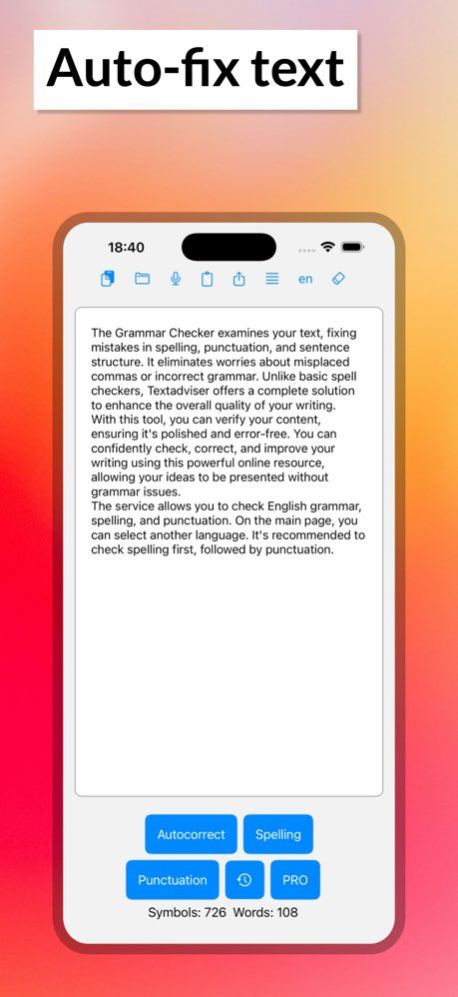
AI autocorrect feature added to fix all text errors.
Grammar & punctuation checker version 4.0
Updated At: 2024-09-24
Changes: Sep 24, 2024
Version 4.0
Minor fixes
Grammar & punctuation checker version 3.9
Updated At: 2024-09-15
Changes: Sep 15, 2024
Version 3.9
Fix text color in dark theme
Grammar & punctuation checker version 3.6
Updated At: 2024-09-05
Changes: Sep 5, 2024
Version 3.6
minor additions
Grammar & punctuation checker version 2.0
Updated At: 2023-05-07
Changes: May 7, 2023
Version 2.0
Minor bug fixes
Disclaimer
Official App Store Link
We do not host Grammar & punctuation checker on our servers. We did not scan it for viruses, adware, spyware or other type of malware. This app is hosted by Apple and passed their terms and conditions to be listed there. We recommend caution when installing it.
The App Store link for Grammar & punctuation checker is provided to you by apps112.com without any warranties, representations or guarantees of any kind, so access it at your own risk.
If you have questions regarding this particular app contact the publisher directly. For questions about the functionalities of apps112.com contact us.